Console Won't Turn On or Keeps Overheating? A Troubleshooting Guide
Before you assume the motherboard is dead, check these causes first. Most turn out to be airflow, not failed hardware.
The Light That Shouldn't Be Blinking
Whether it's a PS5, an Xbox Series X, or an older console, there are two complaints we hear constantly: "it won't turn on" and "it shuts itself off after a while of playing." Before you assume the worst, here are the most common causes, from simplest to most serious.
Dealing with this yourself?
Get a free quote in minutes.
Cause 1: Blocked Airflow (by far the most common)
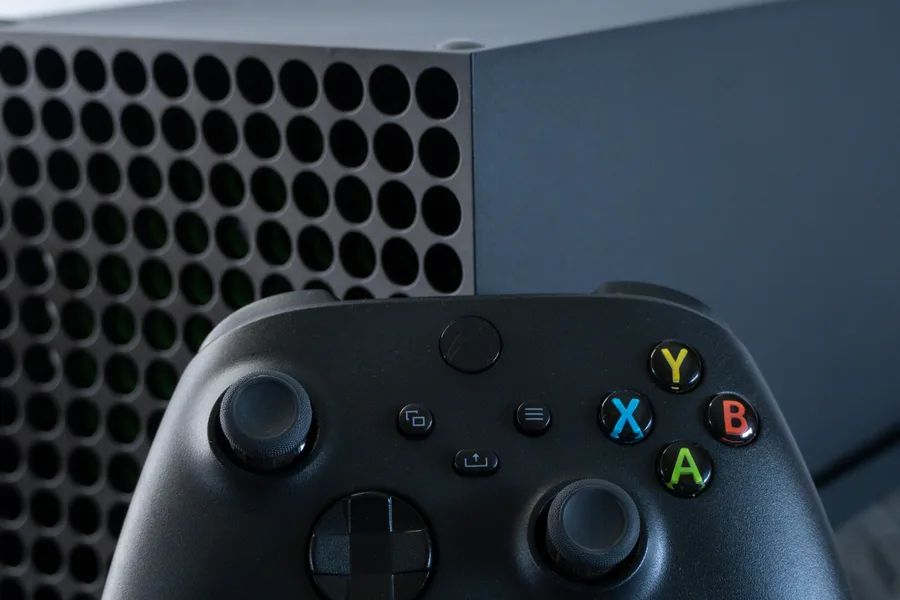
Modern consoles have large vents for a reason — they move a lot of air. If yours is inside a closed cabinet, pushed against a wall, or has simply collected months of lint in the vents, hot air has nowhere to escape. This triggers automatic thermal shutdowns, especially during long gaming sessions.
Cause 2: Dust Buildup on the Internal Heatsink
Even with good external airflow, dust builds up inside the console, on top of the processor's heatsink, over time. This drastically reduces cooling efficiency even when air flows fine on the outside. It's the number one cause of overheating in consoles over 2 years old.
Cause 3: Dried-Out Thermal Paste
The thermal paste between the processor and the heatsink dries out and loses effectiveness after years of repeated heating and cooling. When this happens, the console can sound like a jet taking off even during light gameplay — a clear sign the system is struggling to cool itself.
Cause 4: A Damaged Power Supply
If the console shows zero signs of life — no light, no fan sound — and you've already tried another power cable and another outlet, the internal power supply is likely damaged. This is more common after a lightning storm or a sudden power outage.
"Most of the time someone walks in convinced the motherboard is dead, the real problem is dust-blocked airflow — something far simpler to fix."
What You Can Check Yourself Before Bringing It In
- Make sure it has at least 4-6 inches of clear space around it for airflow.
- Listen for a fan that's louder than normal — a sign it's compensating for something.
- Check if it shuts down faster on demanding titles than on simple apps like streaming.
- Confirm the power cable and outlet work with another device.
An Internal Cleaning May Be All It Needs
At AV Phone Repairs here in Philadelphia, we open the console, clean the heatsink and fan, and apply fresh professional-grade thermal paste. For most overheating cases, that alone fully resolves the issue, no parts need to be replaced at all.
Need expert help?
Our Philadelphia team is ready to inspect and repair your device today with a full warranty.